
TL;DR
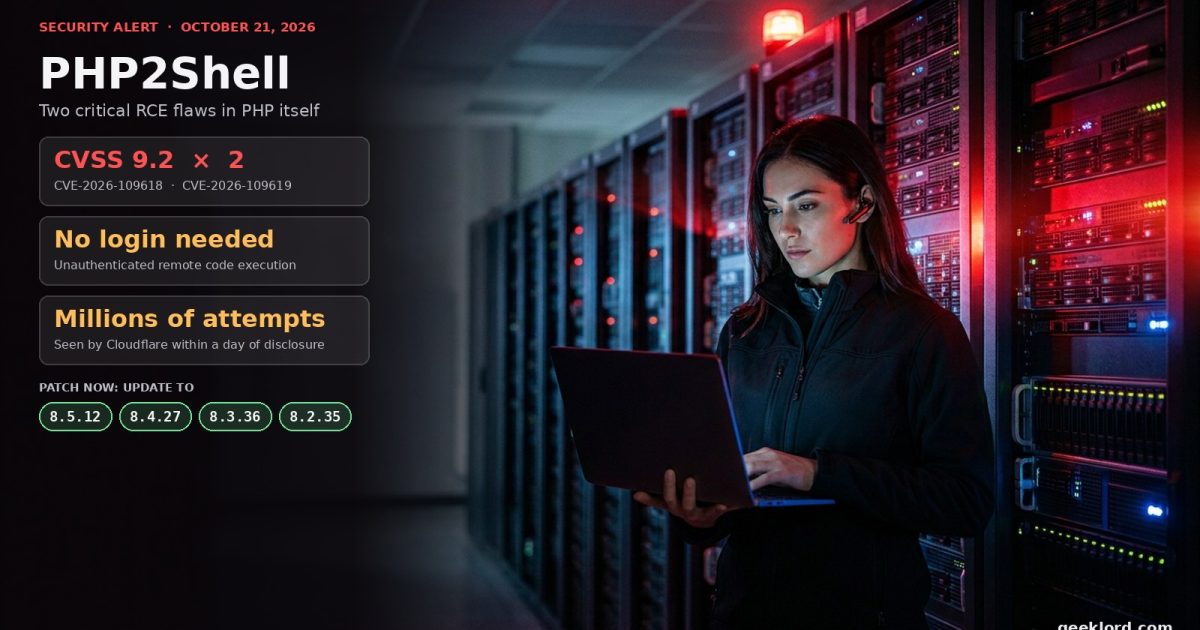
- What: Two critical bugs in the PHP engine itself, nicknamed PHP2Shell (CVE-2026-109618 and CVE-2026-109619, both CVSS v4.0 9.2), allow unauthenticated remote code execution.
- Who: Every PHP installation that serves web requests: PHP-FPM, Apache mod_php, php-cgi, FrankenPHP and LiteSpeed. Your application code does not matter. WordPress, Drupal, Joomla, Magento and a plain “Hello World” page are all exposed.
- Fix: Update to PHP 8.5.12, 8.4.27, 8.3.36 or 8.2.35 (released October 21, 2026), then restart every PHP worker. There is no complete workaround.
- Urgency: Public exploits exist, and Cloudflare reported millions of exploit attempts within hours of disclosure. Patch today.
On Wednesday, October 21, 2026, the PHP project shipped emergency releases for all four supported branches. The advisory on php.net does not mince words: “All PHP users are strongly encouraged to update immediately,” and “updating is the only safe choice.”
This one is different from the usual stream of plugin and CMS vulnerabilities. The bugs live in PHP’s own memory management and error handling, the code paths that nearly every request touches. You can have a perfectly written application, a hardened WordPress install and zero plugins, and still be exposed, because the problem sits underneath all of it.
Below is everything you need: what broke, who is affected, how to check your servers, how to patch on common setups, what to do if you cannot patch right away, and how to look for signs that someone got in before you did.
What is PHP2Shell?
PHP2Shell is the name researchers gave to two related vulnerabilities. Both come from the same underlying weakness: when a request ends abnormally, PHP can leave its memory in a corrupted state, and a later step trusts that corrupted state.
| CVE | Name | What goes wrong | Severity |
|---|---|---|---|
| CVE-2026-109618 (GHSA-w8hw-w9fx-j79w) | RCE via OOM corruption | An out-of-memory error can interrupt PHP while internal request data is only partly initialized. Request cleanup then treats that invalid data as valid, corrupting memory. | Critical, CVSS 9.2 |
| CVE-2026-109619 (GHSA-6wmf-4rv5-p3rp) | RCE via stale global state | A fatal error at the wrong moment can leave internal state pointing at memory that belonged to a previous request. The next request handled by the same worker can then use that freed memory (a use-after-free). | Critical, CVSS 9.2 |
How CVE-2026-109618 works, in plain terms
PHP uses a C mechanism called longjmp() to bail out of a request when it runs out of memory. According to the official GitHub advisory, there are moments when request memory is reachable before it is fully set up. If any allocation fails at that exact moment, PHP jumps out without accounting for the half-built data, and the shutdown routine later reads or branches on it.
The researchers found several ways to force that out-of-memory condition while staying inside PHP’s normal limits:
- A multipart request without a usable declared content length can pass the initial
post_max_sizecheck and keep feeding body data. - A single multipart part can carry an unlimited number of headers, and PHP’s internal representation of them uses far more memory than they take on the wire.
- Empty file fields do not count toward
max_file_uploadsbut still create file metadata arrays, and nested field names multiply that work.
On Apache with mod_php, PHP always runs its shutdown procedure, even when request startup failed. Automatic body parsing happens during startup, so a single crafted unauthenticated request can trigger the attack before any application code runs. Full remote code execution was demonstrated against mod_php with default PHP input and memory limits.
How CVE-2026-109619 works
PHP keeps some global state (error, session, object and extension state) inside a worker process, but that state points to memory owned by a single request. It must be reset before that memory is released. Some input, configuration, session and error handling steps run before the next request is fully initialized, and they can touch stale state left behind by the previous one. With a carefully shaped heap, that becomes code execution. The PHP Foundation says the reporter demonstrated RCE against a real-world application running on Apache with mod_php.
There is a quieter risk too. Reporting by The Hacker News notes that an attacker can read memory from the PHP worker process, which may contain passwords, session tokens, API keys and certificates belonging to other users’ requests, even without achieving code execution.
Who is affected?
The short answer: almost everyone running PHP on the web.
- Affected versions: PHP 8.5 before 8.5.12, 8.4 before 8.4.27, 8.3 before 8.3.36 and 8.2 before 8.2.35. Cloudflare and other researchers say the vulnerable code goes back to PHP 5.4.
- Affected server setups: PHP-FPM, Apache mod_php, php-cgi, FrankenPHP and LiteSpeed. PHP rates mod_php as the highest risk.
- Affected applications: All of them. Wiz Research demonstrated unauthenticated code execution on the latest official container images of WordPress, Drupal and Joomla.
Is PHP-FPM safer?
Somewhat, but not safe. PHP-FPM kills the worker when request startup fails, which blocks the pre-application attack path used against mod_php. However, the official advisory says source analysis still shows FPM is susceptible to CVE-2026-109618, and CVE-2026-109619 was shown to reach code execution on PHP-FPM through operations inside a running application. Treat FPM servers as vulnerable and patch them on the same schedule.
What about PHP 8.1, 8.0, 7.4 and older?
The PHP project no longer ships releases for PHP 8.1 and older. Because of the severity, the security team published minimal source backports for PHP 7.4, 8.0 and 8.1 on GitHub for people who build from source. If you rely on a Linux distribution or an LTS vendor, ask them for a backported package. The honest advice is to move to a supported branch, and note that PHP 8.2 itself reaches end of life on December 31, 2026.
The scale of the old-version problem is real. The Hacker News reported that about 59% of the roughly 1.5 million internet-facing hosts that advertised a PHP version on Shodan on October 20 were running PHP 8.1 or older.
Fixed versions at a glance
| PHP branch | Vulnerable | Update to | Notes |
|---|---|---|---|
| 8.5 | below 8.5.12 | 8.5.12 | Current stable branch |
| 8.4 | below 8.4.27 | 8.4.27 | Supported |
| 8.3 | below 8.3.36 | 8.3.36 | Security fixes only |
| 8.2 | below 8.2.35 | 8.2.35 | End of life December 31, 2026 |
| 8.1, 8.0, 7.4 | all | Vendor backport or upgrade | Source backports on GitHub only |
Important: Linux distributions received the patch in advance, so your distro package may carry the fix under an older-looking version number. Check the package changelog for the CVE IDs rather than trusting the version string alone.
Step 1: Find out which PHP you are actually running
Updating WordPress, Laravel or any other application does not update PHP. The runtime comes from your server packages, your host or your container image. Check what the web server is really using, not just the command line, because the two often differ.
# Command-line PHP version
php -v

# Which PHP-FPM services exist and are running (Debian/Ubuntu style names)
systemctl list-units --type=service | grep -i php

# Is Apache using mod_php?
apache2ctl -M 2>/dev/null | grep -i php    # Debian/Ubuntu
httpd -M 2>/dev/null | grep -i php         # RHEL/Alma/Rocky

# For WordPress sites with WP-CLI
wp --info
Inside WordPress you can also open Tools > Site Health > Info > Server to see the PHP version that serves the site.
Step 2: Patch
Shared hosting (cPanel, Plesk, managed WordPress)
- Open a ticket or check your host’s status page today and ask them to confirm, in writing, that the PHP build serving your site includes the fixes for CVE-2026-109618 and CVE-2026-109619.
- In cPanel, check MultiPHP Manager and move any site still on PHP 8.1 or older to a supported version once you have tested it.
- Large WordPress hosts moved quickly. The WordPress community newsletter The Repository reported that WordPress.com, WordPress VIP, WP Cloud and Pressable sites were already protected at disclosure. Do not assume your host did the same; ask.
Your own VPS or dedicated server
Update PHP from your distribution or the PPA/repository you use, then restart every PHP process. A patched binary on disk does nothing while old workers are still in memory.
Debian / Ubuntu
sudo apt update
sudo apt install --only-upgrade 'php*'
sudo systemctl restart php*-fpm   # if you use PHP-FPM
sudo systemctl restart apache2    # if you use mod_php or Apache
RHEL / AlmaLinux / Rocky
sudo dnf upgrade 'php*'
sudo systemctl restart php-fpm httpd
If you use the volunteer-run rpms.remirepo.net repository, PHP’s advisory specifically warned that it would not have updates on release day and urged switching to distribution packages or building from source so you can patch immediately.
Docker and containers
- Pull the latest official
phpimage tags (or your app image built on top of them), rebuild, and redeploy. - Pinned tags such as
php:8.3.35-apachewill not update themselves. Bump them to the fixed release. - Check base images in CI pipelines, cron containers and queue workers, not just the web tier.
Cloud platforms and marketplace images
DigitalOcean’s deputy CISO wrote that previously deployed Marketplace 1-Click images, Droplets, Kubernetes workloads and App Platform apps should all be considered in scope until patched. The same logic applies to any one-click image on AWS, Lightsail, Azure or Google Cloud: the image you launched months ago is still running the PHP it shipped with.
After patching: check memory settings
The fix replaces the old out-of-memory jump with a graceful “soft” limit at the next safe point and a new hard limit that ends the process immediately if memory climbs much higher. When the hard limit hits, shutdown handlers do not run. Review memory_limit and post_max_size against what your application genuinely needs so legitimate heavy requests (imports, image processing) are not cut off.
If you cannot patch right now
The PHP team is clear that none of the following makes a server safe. They only narrow specific attack paths while you schedule the update.
For CVE-2026-109618 (OOM corruption)
- Set
memory_limit=-1in a way applications cannot override, for example withphp_admin_valuein the FPM pool or Apache configuration, and confirm nothing reintroduces a finite limit. This removes the controllable PHP memory limit failure, but an underlying allocation failure can still reach the vulnerable path. - Keep
post_max_sizelow:8Mif the app does not need uploads,32Mif it does, withupload_max_filesizebelow it. - Enforce request limits at the web server or proxy: decoded body size, number of input fields, multipart parts, headers and nesting depth, including requests with no usable
Content-Length. If your app never accepts multipart forms, block them at the edge. - Use a container or cgroup memory limit as a safety boundary, ideally one that kills only the affected worker. Do not use
RLIMIT_ASorRLIMIT_DATA; PHP warns these can trigger the exact vulnerable path.
For CVE-2026-109619 (stale global state)
- Set
session.upload_progress.enabled=0inphp.inior the FPM pool or server config, then restart every worker. Setting it throughini_set()or.user.iniis too late. - On PHP 8.5, also set
fatal_error_backtraces=0and restart. - Remove invalid or deprecated per-request settings that emit diagnostics before initialization. Hiding errors with
display_errorsor@does not help. - Fix any fatal errors or execution timeouts an attacker can trigger, including in upload and import processing.
A word of caution on the popular “just disable session upload progress” tip that circulated before the release. It blocks the confirmed session paths for CVE-2026-109619 only and does nothing for CVE-2026-109618. PHP core developer Gina Peter Banyard put it bluntly before the release: “the only mitigation is patching/upgrading PHP.”
Web application firewalls help, but they are a stopgap
Cloudflare turned on WAF rules for free and paid plans at 03:02 UTC on October 21, about nine hours before disclosure, and says it watched attackers change payloads to get around them. If your site sits behind Cloudflare or another WAF, that buys you time. It does not replace the update.
Is it being exploited?
Yes, attempts are widespread. Confirmed successful breaches were still not publicly documented at the time of writing, but the trend is clear:
- October 17: Amazon Threat Intelligence logged a PHP2Shell exploit attempt against its MadPot honeypots from an anonymizing network, four days before public disclosure.
- October 20: The two CVE IDs leaked on forums with a wrong CVSS score of 10.0. PHP pulled its release forward by a day. Calif, one of the research firms, mistakenly posted a video of its working proof of concept.
- October 21, 07:41 UTC: Chainguard published patched images about six hours early, letting anyone study the fix before release.
- October 21, 14:00 UTC: PHP released the fixes. watchTowr soon reported “active exploitation attempts” against both CVEs.
- October 22: Cloudflare CEO Matthew Prince said Cloudflare saw thousands of attempts in the ten hours before the announcement, hundreds of thousands within two hours after it, and “millions now.”
Some organizations did not wait. BambooHR took its service offline in the US, Canada and Ireland as a precaution, and in the Netherlands, government services including DigiD and MijnOverheid went offline temporarily, according to the broadcaster NOS. CISA, CERT-EU, ENISA and Canada’s Cyber Centre all issued urgent alerts the same day.
How to check whether you were hit
If your server was exposed before you patched, especially an internet-facing mod_php box, do a quick review. The researchers suggest watching for:
- Unusual multipart/form-data requests followed by memory-limit errors or bursts of HTTP 500 responses.
- Oddly large
PHPSESSIDcookies in responses. - Unexplained PHP worker crashes or restarts.
On top of that, standard post-compromise checks apply:
# PHP files changed in the last 7 days under your web root
find /var/www -name '*.php' -mtime -7 -ls

# Memory exhaustion errors in PHP and Apache logs
grep -ri "Allowed memory size" /var/log/apache2/ /var/log/php* 2>/dev/null | tail -50

# New or unexpected admin users in WordPress
wp user list --role=administrator
Because worker memory can leak secrets, if you see anything suspicious, rotate credentials: database passwords, API keys, payment gateway secrets, SMTP passwords and WordPress salts in wp-config.php.
Your PHP2Shell checklist
- List every server, container and hosted site that runs PHP, including staging, cron and queue workers.
- Check the PHP version the web server uses on each one.
- Update to 8.5.12, 8.4.27, 8.3.36 or 8.2.35, or a vendor package whose changelog lists both CVEs.
- Restart PHP-FPM, Apache and any long-running PHP workers.
- Confirm with your hosting provider in writing if you do not control the server.
- Plan an upgrade off PHP 8.1 and older now, and off PHP 8.2 before December 31, 2026.
- Review logs for the warning signs above and rotate secrets if anything looks off.
- Keep WAF rules on, but do not treat them as the fix.
Other security news from the same week
PHP2Shell was the biggest story, but it was not the only one. If you run servers, developer tools or cloud apps, these deserve a look too.
1. GitLab CVE-2026-110264: CVSS 10.0, no login needed
On October 21, GitLab fixed an integer overflow in its regular expression compiler that could let an unauthenticated attacker run code on a self-managed GitLab server. It affects every version from 7.0 (2014) onward. Upgrade to 19.5.1, 19.4.3, 19.3.6, 19.2.9, 19.1.9, 19.0.10 or 18.11.13. GitLab.com and up-to-date Dedicated tenants are already fixed. Note that the October 12 patch does not cover this bug. No exploitation had been reported as of October 22.
2. eMudhra intermediate CA keys compromised
The private keys of eight intermediate certificates from Indian certificate authority eMudhra (six for TLS, two for code signing) were generated with almost no randomness, so anyone could recover them from the public certificates. Someone holding them could forge a trusted HTTPS certificate for any website. Chrome and Firefox blocked them on October 17, Apple on October 19 and Microsoft on October 20. Browsers are protected, but servers, containers and runtimes with their own trust store (Go, Python, curl, Node.js, appliances) need a ca-certificates or runtime update. There is no CVSS score; Red Hat tracks it as CVE-2026-111943.
3. LiteLLM 1.107.0 was a malicious release
Attackers used stolen GitHub credentials to publish a poisoned litellm==1.107.0 to PyPI on October 21. It was live for about two hours (11:39 to 13:23 UTC), and the Docker tags v1.107.0, latest, main-latest and main-stable were also affected for a short time. It installed a credential stealer that runs every time Python starts, plus a loader that fetched remote code every hour. If you installed it, treat the machine as compromised: rebuild the environment, pin to 1.106.2, and rotate every cloud, AI provider and SSH credential it could read. It is tracked as GHSA-92×9-889m-jgmw.
4. Plex2Shell: Plex Media Server under active attack
Four Plex Media Server flaws (CVE-2026-96652, 96654, 96655 and 96656) can be chained for unauthenticated code execution. The fix (1.43.3.10861) has been out since August, but a public exploit appeared on October 16, attacks installing cryptominers began on October 17, and CISA added all four to its Known Exploited Vulnerabilities catalog on October 20. The 9.8 “chain” score comes from the researcher; the official CVSS scores are lower. If your Plex server faces the internet and was not updated, check it for miners.
5. Railway environment variable breach
Cloud platform Railway said on October 21 that an unauthorized party may have accessed encrypted customer environment variables and decrypted some of them. These often hold API keys and database credentials. Railway paused all deployments, which made rotating keys harder, and reset storage bucket and GitHub credentials itself. If you host on Railway, revoke and replace every secret stored there and review your provider logs for usage you did not make.
6. PingCAP / TiDB Cloud breach
PingCAP confirmed that between September 9 and October 7, an attacker used stolen service account credentials to access internal systems, copy account, billing and support data, and take source code. The extortion group FulcrumSec claims it took 10.6 TB, but that figure is unverified. PingCAP says the exposed API key values were encrypted, it has found no sign they were used, and no TiDB Cloud customer database access has been confirmed. Customers should rotate TiDB Cloud API keys and watch for targeted phishing.
7. Node.js: Brotli RCE and TLS bypasses
Node.js released fixes for 10 flaws on October 21. The most serious, CVE-2026-111497 (rated high), is an out-of-bounds write in the bundled Brotli decoder that can allow code execution when Node decodes attacker-supplied data. Two others let attackers bypass TLS certificate hostname checks. Update to 26.12.1, 24.22.1 or 22.23.4. The release also distrusts the compromised eMudhra keys. Node.js 20.x and older get no fix. No exploitation had been reported.
| Issue | Login needed? | Exploited? | What to do |
|---|---|---|---|
| PHP2Shell | No | Attempts in the millions | PHP 8.5.12 / 8.4.27 / 8.3.36 / 8.2.35 |
| GitLab CVE-2026-110264 | No | Not reported | Upgrade self-managed GitLab |
| eMudhra CA keys | Not applicable | Not reported | Update trust stores and runtimes |
| LiteLLM 1.107.0 | Not applicable | Malicious package | Rebuild, pin 1.106.2, rotate secrets |
| Plex2Shell | No | Yes (CISA KEV) | Plex 1.43.3.10861 or later |
| Railway breach | Not applicable | Secrets accessed | Rotate every stored variable |
| PingCAP / TiDB Cloud | Not applicable | Internal data copied | Rotate API keys, watch for phishing |
| Node.js Brotli / TLS | No | Not reported | Node 26.12.1 / 24.22.1 / 22.23.4 |
The bigger picture: AI found it, AI weaponized it
The backstory matters for anyone who runs software on the web. According to the PHP Foundation, the first signs of the out-of-memory problem appeared during PHP’s 2024 external security audit. A fix stalled for months because every option risked breaking compatibility, opening new denial-of-service paths or forcing changes on third-party extensions. The Foundation called that delay “a structural failure.”
What changed in 2026 was AI-assisted research. Calif, OpenAI’s Codex Security team and Wiz Research independently turned the old weakness into working exploits in August and September. The researchers say AI models let one person do in about a week what would otherwise have taken a team months. The PHP security team itself now uses AI tools to validate reports, and says it has published 15 CVEs since July 1 and worked through more than 100 invalid or duplicate reports.
That is the new normal. Bugs that sat quietly in core infrastructure for a decade or more are being found and weaponized faster than small volunteer teams can ship fixes. For site owners, the practical lesson is simple: know exactly which runtime versions you are running, keep them on supported branches, and be ready to patch the same day. For companies that make money on PHP, the PHP Foundation’s request is worth taking seriously: fund the people who maintain the engine.
Have you patched yet, and how did your host handle it? Tell me in the comments.
Sources and further reading
- PHP.net security advisory: Critical remote code execution vulnerabilities
- GitHub advisory GHSA-w8hw-w9fx-j79w (CVE-2026-109618)
- GitHub advisory GHSA-6wmf-4rv5-p3rp (CVE-2026-109619)
- The PHP Foundation: Today’s PHP Security Release, and How We’re Strengthening PHP Security
- CISA alert: Critical Vulnerabilities in PHP Require Immediate Patching
- Cloudflare: Protections against php2shell
- AWS Security Blog: PHP2Shell exploitation prior to public disclosure
- The Hacker News: PHP issues emergency patches for PHP2Shell
- GitLab Critical Patch Release 19.5.1
- Google: Compromised eMudhra intermediate CA certificates
- LiteLLM: v1.107.0 security incident
- CISA: KEV additions including Plex Media Server
- Railway: Security disclosure, October 21
- PingCAP: October 2026 security incident report
- Node.js: October 21, 2026 security releases